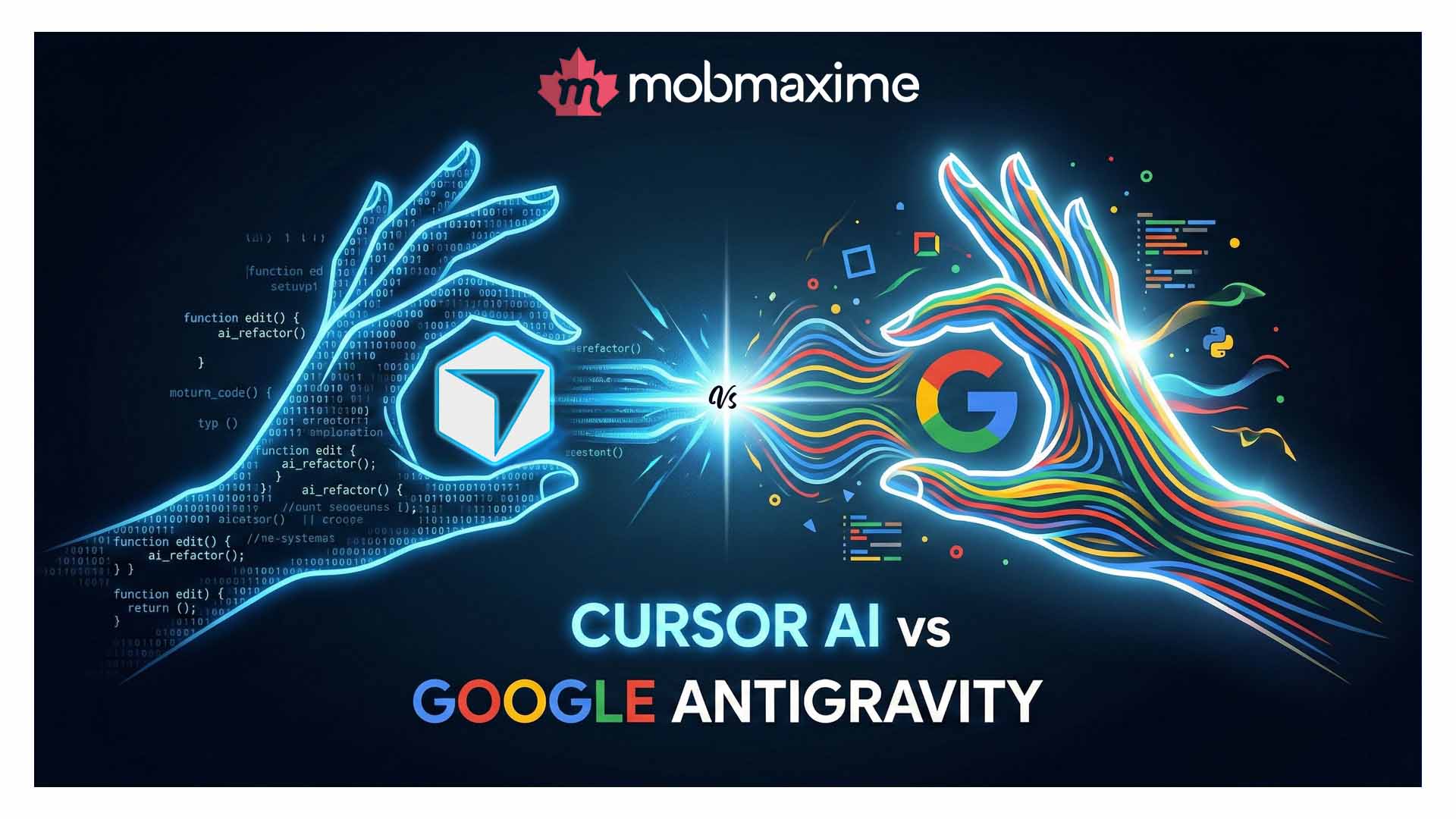
Cursor AI vs Google Antigravity: Which AI Coding Tool Wins?
- 10 Minutes. to Read
- Views
- 1
What if your code editor could think alongside you — anticipating your next move, catching bugs before they happen, and writing entire modules while you sip your morning coffee?
That’s not science fiction anymore. In 2026, AI-powered coding assistants have become the backbone of modern software development. And two names are dominating the conversation: Cursor AI and Google Antigravity.
Whether you’re a startup building your MVP or an enterprise engineering team scaling complex systems, choosing the right AI coding tool can mean the difference between shipping features in days versus weeks. Gartner predicts that by 2027, over 75% of enterprise software engineers will use AI coding assistants — up from less than 10% in 2023. In this in-depth comparison, we’ll break down everything you need to know about Cursor AI vs Google Antigravity — their features, strengths, limitations, and which one is right for your workflow.
What Is Cursor AI?
Cursor AI is an AI-first code editor built on top of VS Code, developed by Anysphere. It seamlessly blends the familiar VS Code interface with deeply integrated AI capabilities — making it one of the most popular AI coding assistants among developers worldwide.
At its core, Cursor AI uses large language models (including Claude and GPT-4) to offer intelligent code completion, multi-file editing, natural language code generation, and contextual debugging — all within an environment developers already know and love. If you’re still exploring how different AI tools differ, our guide on AI Agents vs Chatbots vs LLMs is a great starting point to understand the AI landscape before diving deeper into coding tools.
Key Features of Cursor AI
- Tab Completion: Predicts and completes entire code blocks based on context, not just single lines.
- Cmd+K (Inline Editing): Write natural language prompts to generate or modify code inline without breaking flow.
- Chat Mode: Ask Cursor questions about your codebase, get explanations, or request refactors across multiple files.
- Codebase Indexing: Cursor indexes your entire project so AI suggestions are contextually accurate across large codebases.
- Multi-Model Support: Switch between Claude 3.5, GPT-4o, and other models depending on your task.
- Privacy Mode: Keep your code private — no data stored on Cursor’s servers.
Auto-debugging: Automatically identifies errors and proposes fixes directly in the editor.
What Is Google Antigravity?
Google Antigravity is Google’s next-generation AI coding platform that integrates directly with Google Cloud, Gemini AI, and the broader Google developer ecosystem. Released as part of Google’s broader push into AI-first development tools, Antigravity is designed to be more than a code editor — it’s a full development intelligence platform.
Antigravity leverages Gemini Ultra under the hood, giving it access to one of the most powerful multimodal AI models available. Its strength lies in deep integration with Google Cloud services, making it especially powerful for teams building cloud-native, scalable applications. To better understand how Gemini-class AI compares across different paradigms, check out our breakdown of Generative AI vs Agentic AI vs Autonomous AI.
Key Features of Google Antigravity
- Gemini-Powered Code Intelligence: Full multimodal AI — understands code, diagrams, natural language, and documentation simultaneously.
- Cloud-Native Integration: Direct connections to Google Cloud, Firebase, BigQuery, and Kubernetes, enabling seamless deployment and testing.
- Project-Level Reasoning: Analyzes entire repositories with context windows large enough to understand million-line codebases.
- Smart Refactoring Engine: Proposes architecture-level improvements, not just line-by-line edits.
- Collaborative AI Workspaces: Real-time multiplayer development with AI acting as a shared team assistant.
- Security & Compliance Scanning: Built-in vulnerability detection, license compliance checks, and GDPR/HIPAA-ready auditing.
- Natural Language DevOps: Write deployment scripts, CI/CD pipelines, and infrastructure-as-code using plain English.
Cursor AI vs Google Antigravity: Head-to-Head Comparison
Let’s break down the key differences between these two AI coding powerhouses across the dimensions that matter most to developers and engineering teams.
| Feature | Cursor AI | Google Antigravity |
| AI Model | Claude 3.5, GPT-4o, multi-model | Gemini Ultra (Google) |
| Editor Base | VS Code fork | Standalone + Cloud IDE |
| Cloud Integration | Moderate (via extensions) | Deep (GCP, Firebase, BigQuery) |
| Codebase Context | Large (project indexing) | Very Large (1M+ token context) |
| Collaboration | Limited real-time | Full multiplayer AI workspace |
| Security Scanning | Basic | Enterprise-grade, compliance-ready |
| Pricing | Freemium + Pro plans | Usage-based, enterprise tiers |
| Best For | Individual devs, startups | Enterprise, cloud-native teams |
| Learning Curve | Low (VS Code users) | Moderate (GCP knowledge helps) |
| Offline Mode | Yes (limited AI) | No (cloud-dependent) |
Performance & Speed: Which AI Coding Assistant Is Faster?
When developers talk about AI coding tools, speed isn’t just about how fast suggestions appear — it’s about how much the tool accelerates your overall development velocity. The Stack Overflow Developer Survey 2024 found that 76% of developers are using or planning to use AI tools in their development process, with speed of code generation cited as the #1 benefit.
Cursor AI Speed & Performance
Cursor AI is remarkably snappy for individual development workflows. Its Tab completion responds in under 200ms on average, and inline edits via Cmd+K feel nearly instantaneous for most operations. Since it works within VS Code, developers familiar with that environment experience virtually zero onboarding friction.
However, Cursor can slow down on very large codebases when the indexing process is running in the background. Teams with repositories exceeding 500,000 lines of code may notice occasional latency in cross-file context suggestions.
Google Antigravity Speed & Performance
Google Antigravity leverages Google’s global infrastructure, which means its cloud-dependent features are backed by the same network that powers Google Search and Gmail. For enterprise teams working on massive distributed systems, Antigravity’s ability to reason over enormous codebases without slowdown is a genuine competitive advantage.
The trade-off is that Antigravity requires a stable internet connection — offline coding isn’t supported for its AI features. Teams in regions with unreliable connectivity may find this limiting.
Use Cases: When to Choose Cursor AI vs Google Antigravity
Choose Cursor AI If You Are:
- An individual developer or small team building web or mobile applications
- A startup that needs a fast, intuitive AI coding assistant without heavy cloud dependencies
- Already using VS Code and want AI integrated without switching environments
- Working on frontend development with React, Vue, Angular, or TypeScript
- Building Node.js backends, Python APIs, or PHP applications
- Focused on rapid prototyping and MVP development
- Privacy-conscious and want code to stay on your local machine
Choose Google Antigravity If You Are:
- An enterprise engineering team building large-scale, cloud-native applications
- Deeply invested in the Google Cloud ecosystem (GCP, Firebase, BigQuery, Kubernetes)
- Working on distributed systems, microservices, or ML pipelines that require cloud-level context
- A team that needs collaborative, real-time AI assistance across multiple developers
- Building AI-powered SaaS products that require compliance-grade security scanning
- Managing DevOps workflows and want natural language infrastructure-as-code generation
- A company in a regulated industry (healthcare, finance) needing HIPAA/GDPR-compliant tooling
Frontend vs Backend Development: Which Tool Performs Better Cursor AI vs Google Antigravity?
Frontend Development
For frontend development — React, Angular, TypeScript, HTML5 — Cursor AI has a clear edge. Its VS Code foundation means all existing frontend extensions, snippets, and configurations work natively. AI-powered component generation, CSS refactoring, and JSX completions feel polished and production-ready.
Google Antigravity handles frontend work competently but its true strengths lie elsewhere. Frontend developers unfamiliar with GCP tools may find the cloud-centric interface slightly over-engineered for UI work.
Backend Development
Both tools perform excellently for backend development, but in different contexts. Cursor AI excels with Node.js, Python, PHP, and .NET development, generating clean REST APIs, database queries, and server-side logic with impressive accuracy.
Google Antigravity shines for complex backend architectures — especially when those backends live on Google Cloud. Auto-generating Terraform configurations, Cloud Functions, and BigQuery schemas through natural language makes Antigravity an extremely powerful tool for cloud engineers and backend architects.
Pricing: Cursor AI vs Google Antigravity
Cursor AI Pricing
- Free Plan: Access to basic AI features with limited monthly completions
- Pro Plan ($20/month): Unlimited completions, access to Claude 3.5 and GPT-4o, priority support
- Business Plan ($40/user/month): Team features, centralized billing, admin controls, privacy mode enforced
- Enterprise: Custom pricing with SLA, SSO, and compliance features
Google Antigravity Pricing
- Developer Tier (Free): Limited Gemini API calls, ideal for personal projects
- Standard ($29/user/month): Full AI coding features, GCP integration, standard support
- Enterprise: Usage-based pricing tied to GCP consumption, custom SLAs, compliance tools, dedicated support
For budget-conscious teams or individual developers, Cursor AI’s $20/month Pro plan offers excellent value. Google Antigravity’s costs can scale significantly for heavy cloud usage, making cost management important for teams on fixed budgets.
For a broader look at how AI development costs are structured, refer to our detailed AI Development Pricing Guide to better plan your technology budget before committing to a platform.
Security, Privacy & Enterprise Readiness
Security and compliance are non-negotiable for enterprise software development teams.
Cursor AI offers a Privacy Mode that prevents any code from being stored on Anysphere’s servers, making it suitable for teams working with proprietary code. However, enterprise compliance features (SOC 2, HIPAA, GDPR) are still maturing compared to Google’s offering.
Google Antigravity, built on Google Cloud’s enterprise-grade security infrastructure, comes with SOC 2 Type II, ISO 27001, HIPAA, and GDPR compliance baked in. Its built-in security scanning actively checks for vulnerabilities like OWASP Top 10 issues, dependency risks, and insecure code patterns — making it the stronger choice for regulated industries.
How AI Coding Tools Are Changing Enterprise Software Development
The emergence of tools like Cursor AI and Google Antigravity represents a fundamental shift in how enterprise software is built. According to GitHub’s Developer Productivity Research, developers using AI coding assistants complete tasks up to 55% faster and report significantly higher job satisfaction.
For companies investing in digital transformation, AI-driven development tools are no longer a “nice to have” — they’re a competitive necessity. Whether you’re building custom enterprise software, AI-powered SaaS platforms, or scalable mobile applications, integrating AI coding tools into your development process directly impacts your speed to market, code quality, and engineering costs. Read more about how automation in software development is driving the next wave of innovation and why forward-looking teams are adopting AI tools now.
At MobMaxime, we’ve seen firsthand how AI-first development accelerates project delivery. Our engineering teams leverage cutting-edge AI tools to build faster, cleaner, and more scalable solutions — from Node.js backends to React frontends to full-stack AI applications.
Conclusion: Cursor AI vs Google Antigravity — The Final Verdict
Both Cursor AI and Google Antigravity represent the pinnacle of AI-assisted software development in 2026. But they serve different masters.
Cursor AI is the developer’s best friend — fast, familiar, privacy-respecting, and devastatingly effective for individual developers and agile teams building web, mobile, and backend applications. If you live in VS Code and want AI that just works, Cursor AI is your tool.
Google Antigravity is the enterprise architect’s dream — deeply integrated with Google Cloud, built for massive codebases, collaborative by design, and enterprise-grade in every dimension. If your team is scaling a cloud-native product or needs compliance-ready AI tooling, Antigravity’s power is hard to match.
The truth is, the best AI coding tool is the one that fits your workflow, your stack, and your team’s goals. And if you’re unsure which direction to take, that’s exactly the kind of strategic decision where experienced technology partners can make a real difference. For a broader perspective, explore our deep-dive on how Artificial Intelligence is transforming the world and application development.
Ready to Build Smarter with AI-Powered Development?
At MobMaxime, we don’t just keep up with AI trends — we build with them. Our expert team of AI-first developers uses the latest tools and architectures to deliver scalable, intelligent digital solutions that drive real business growth.
Whether you need a custom AI application, a high-performance mobile app, or an enterprise-grade web platform, we bring 12+ years of engineering excellence to every project.
Contact MobMaxime today for a free consultation and discover how our AI application development services can accelerate your next project. Let’s build the future — together.
Frequently Asked Questions (FAQ)
- What is the difference between Cursor AI and Google Antigravity?
Cursor AI is a VS Code-based AI code editor powered by Claude and GPT-4 models, ideal for individual developers and startups. Google Antigravity is a cloud-native AI development platform powered by Gemini Ultra, designed for enterprise teams deeply integrated with the Google Cloud ecosystem. Both offer AI code generation, but differ in scale, integration depth, and target use cases.
- Which AI coding assistant is better for beginners — Cursor AI or Google Antigravity?
Cursor AI is significantly more beginner-friendly. It builds on VS Code, which millions of developers already use, meaning the learning curve is minimal. Google Antigravity, while powerful, requires familiarity with Google Cloud services and is better suited for experienced developers and enterprise engineering teams.
- How do Cursor AI and Google Antigravity compare in terms of cost?
Cursor AI’s Pro plan starts at $20/month with predictable flat-rate pricing. Google Antigravity uses usage-based pricing tied to GCP consumption, which can scale significantly for heavy cloud workloads. For budget-conscious teams or individual developers, Cursor AI typically offers better value, while enterprises with existing GCP investments may find Antigravity’s pricing more justifiable.
- Can Cursor AI and Google Antigravity be used for enterprise software development?
Yes, both tools support enterprise use cases. Cursor AI offers a Business plan with admin controls and privacy enforcement, suitable for mid-sized teams. Google Antigravity provides comprehensive enterprise-grade features including SOC 2, HIPAA, and GDPR compliance, advanced security scanning, and multiplayer collaborative AI workspaces — making it the stronger fit for large-scale enterprise deployments.
- Is my code safe when using AI coding tools like Cursor AI or Google Antigravity?
Both platforms take code security seriously. Cursor AI offers Privacy Mode, preventing your code from being stored on their servers. Google Antigravity is backed by Google Cloud’s enterprise security infrastructure with SOC 2, ISO 27001, and HIPAA compliance. Always review each platform’s data handling policies to ensure alignment with your organization’s security requirements.
- Which tool is better for frontend and backend development specifically?
Cursor AI excels at frontend development (React, Angular, TypeScript, Vue) given its VS Code foundation and rich extension ecosystem. For backend development, both perform well — Cursor AI is strong for Node.js, Python, and PHP APIs, while Google Antigravity shines for cloud-native backends on GCP, serverless architectures, and infrastructure-as-code generation.
- Do I need to switch from VS Code to use Google Antigravity?
Google Antigravity has its own development environment and cloud-based IDE. While it offers some integrations for existing workflows, its full feature set is best experienced within its native interface. Cursor AI, being a VS Code fork, requires no environment switch for VS Code users — a significant convenience advantage for developers comfortable in that ecosystem.
Table of Contents
Recent Blog
-
Cursor AI vs Google Antigravity: Which AI Coding Tool Wins?
February 27, 2026 -
How to Implement Machine Learning in Your Business: Step-by-Step
February 27, 2026 -
Agentic AI Coding Tools Every Developer Should Know
February 27, 2026 -
How Agentic AI Is Reshaping Software Development
February 27, 2026
Category
Newsletter