Bridging Design and Code: Figma Dev Mode with MCP Server
The journey from design to development has always been a critical — and sometimes painful — part of building digital products. Designers create visually stunning prototypes, while developers work to bring those concepts to life in code. Yet, somewhere in the design-to-code handoff, things often get lost in translation: inconsistencies creep in, design tokens go out of sync, and the gap between design and code widens.
This is where Figma Dev Mode MCP Server comes in. By combining Figma’s developer workflow with the power of an MCP Server, teams can automate repetitive tasks, streamline collaboration, and unlock the future of design-to-code automation.
What is Figma Dev Mode?
Figma Dev Mode is a developer-focused workspace built right into Figma. It reduces the noise for developers and ensures they see only what matters most.
Key features include:
-
Design-to-code workflow: Inspect spacing, typography, and component details.
-
Code-ready snippets: Auto-generate CSS, Swift, or Android XML.
-
Export optimization: Download ready-to-use assets.
-
Change tracking: Stay aligned with version updates without missing key changes.
With Dev Mode, Figma moves beyond being just a design tool — it becomes a key piece of the Figma developer workflow.
Understanding MCP Server
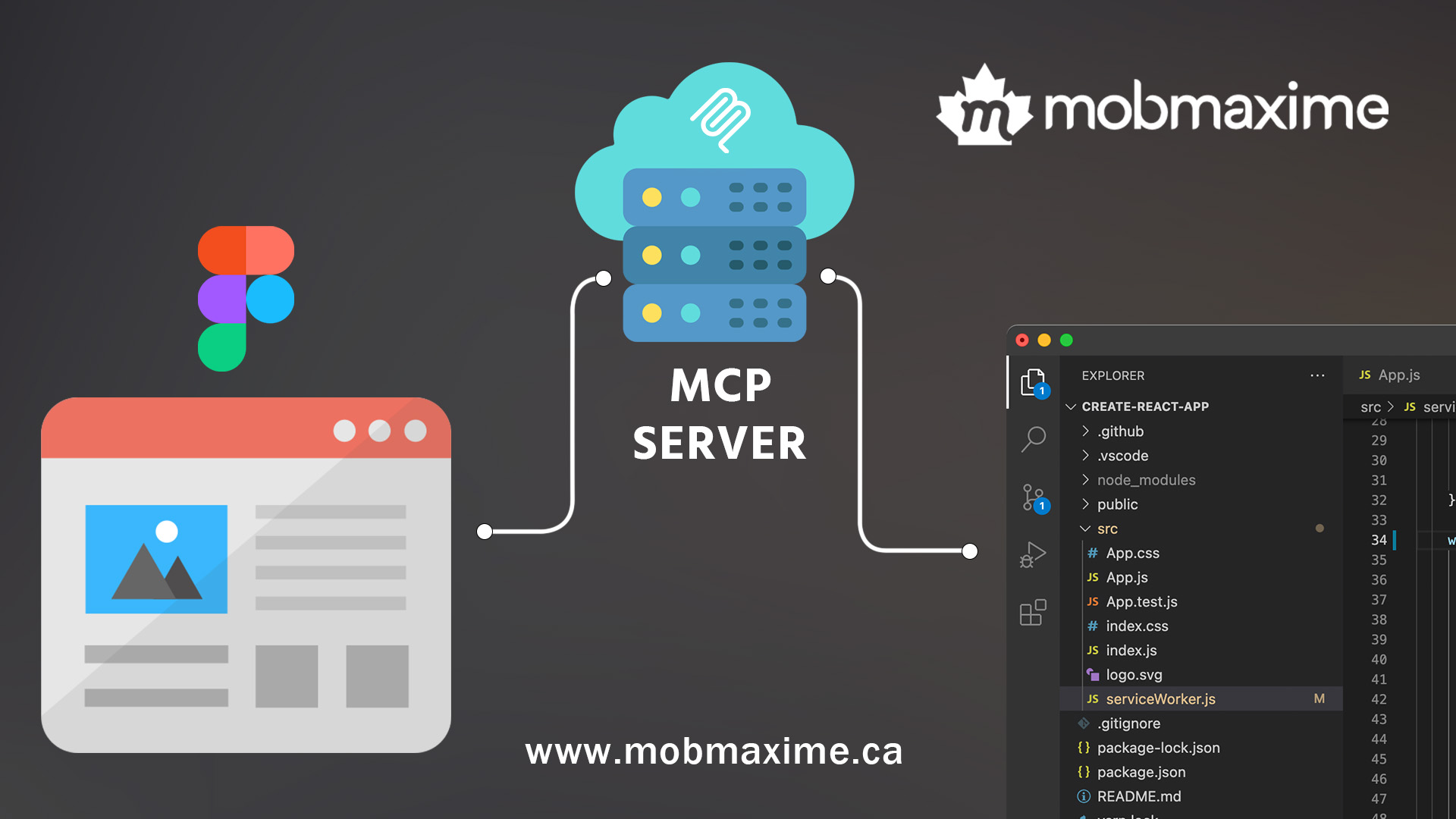
The MCP Server (Model Context Protocol Server) is essentially a bridge between tools and applications, making collaboration seamless.
It helps by:
-
Syncing design tokens automation across platforms.
-
Standardizing how design and development share context.
-
Acting as middleware between Figma, GitHub, and IDEs.
In other words, MCP ensures consistency between design intent and code implementation, reducing the risk of misalignment.
Why Combine Figma Dev Mode with MCP Server?
The typical design-to-code handoff is error-prone and time-consuming. Manually copying design tokens or updating styles often causes inconsistencies.
Integrating Figma Dev Mode MCP Server fixes this by:
-
Automating design tokens syncs into the codebase.
-
Ensuring continuous alignment between designers and developers.
-
Making the design-to-code workflow smooth and repeatable.
-
Allowing developers to focus on logic while designers manage visuals.
Example Scenario:
A designer updates the primary button style in Figma. With MCP Server connected, the update flows directly into your code (e.g., CSS variables or Tailwind config). Developers don’t need to manually re-check — the system handles it.
Setting Up Figma Dev Mode MCP Server
While technical setups may vary, the general flow looks like this:
-
Enable Dev Mode in Figma – Switch to the developer workspace.
-
Configure MCP Server – Install or host an MCP server.
-
Integrate Figma API – Connect to fetch design tokens and specs.
-
Map Tokens to Code – Define rules to sync tokens into your codebase.
-
Automate with CI/CD – Run pipelines that continuously pull updates.
This transforms bridging design and development from a manual process into a fully automated system.
Best Practices for Teams
-
Structure design tokens for clean mapping.
-
Automate updates wherever possible.
-
Use versioning for designs and code.
-
Encourage designers and developers to collaborate closely, reducing gaps in the workflow.
If your team doesn’t yet have in-house design expertise, you can also hire a nearshore designer to ensure your design systems are scalable and ready for automation.
Challenges and Limitations
Some hurdles include:
-
Initial learning curve for MCP setup.
-
API limitations from Figma.
-
Need for strong governance to avoid “design drift.”
Still, the integration significantly improves design-to-code handoff compared to traditional methods.
The Future of Design-to-Code Automation
As the ecosystem matures, expect:
-
Live design systems updating in real-time with codebases.
-
AI-enhanced design-to-code workflow suggestions.
-
Full CI/CD integration for design systems.
The future of design-to-code automation is one where design changes are instantly reflected in production-ready code, empowering teams to deliver faster and more consistently.
Conclusion
Figma Dev Mode MCP Server is more than just a tool combination — it’s a new way of bridging design and development. By automating design tokens and streamlining workflows, teams can cut down on manual effort, reduce errors, and future-proof their collaboration.
Whether you’re a developer, designer, or product manager, embracing this integration means smoother workflows, faster delivery, and better product quality. And if you’re scaling, don’t hesitate to hire a nearshore designer to strengthen your design-to-code pipeline.
The next era of Figma developer workflow is here — and it’s automated.